Set Urgent Priority for an Order
Learn how to set an urgent priority for an order.
Introduction
If you want an order to be shipped by the warehouse in priority over your other orders, you can set a
Priority for that order.Access Orders Page and find the Order
To begin, under the
Orders tab, click on Manage Orders from the dropdown menu to access your Orders Listing page.Search for the Order and click the
#OrderNo link to go to Order Details page.
Set Priority
Once you are on the Order Details page, go to the
Details section on the right, and tick Priority to set an urgent priority for this order.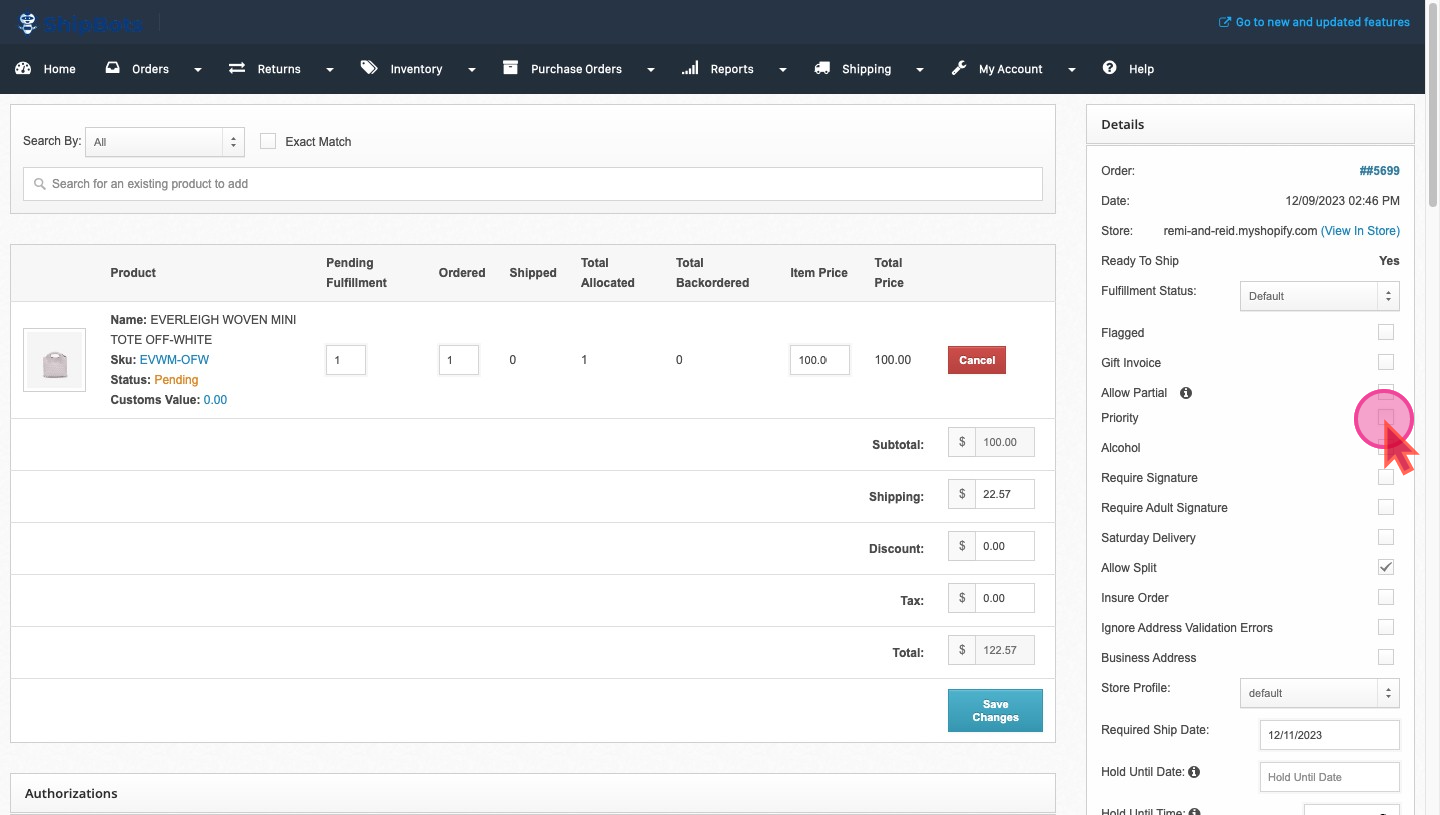
Once done, make sure to press the
Update Details button to save your changes.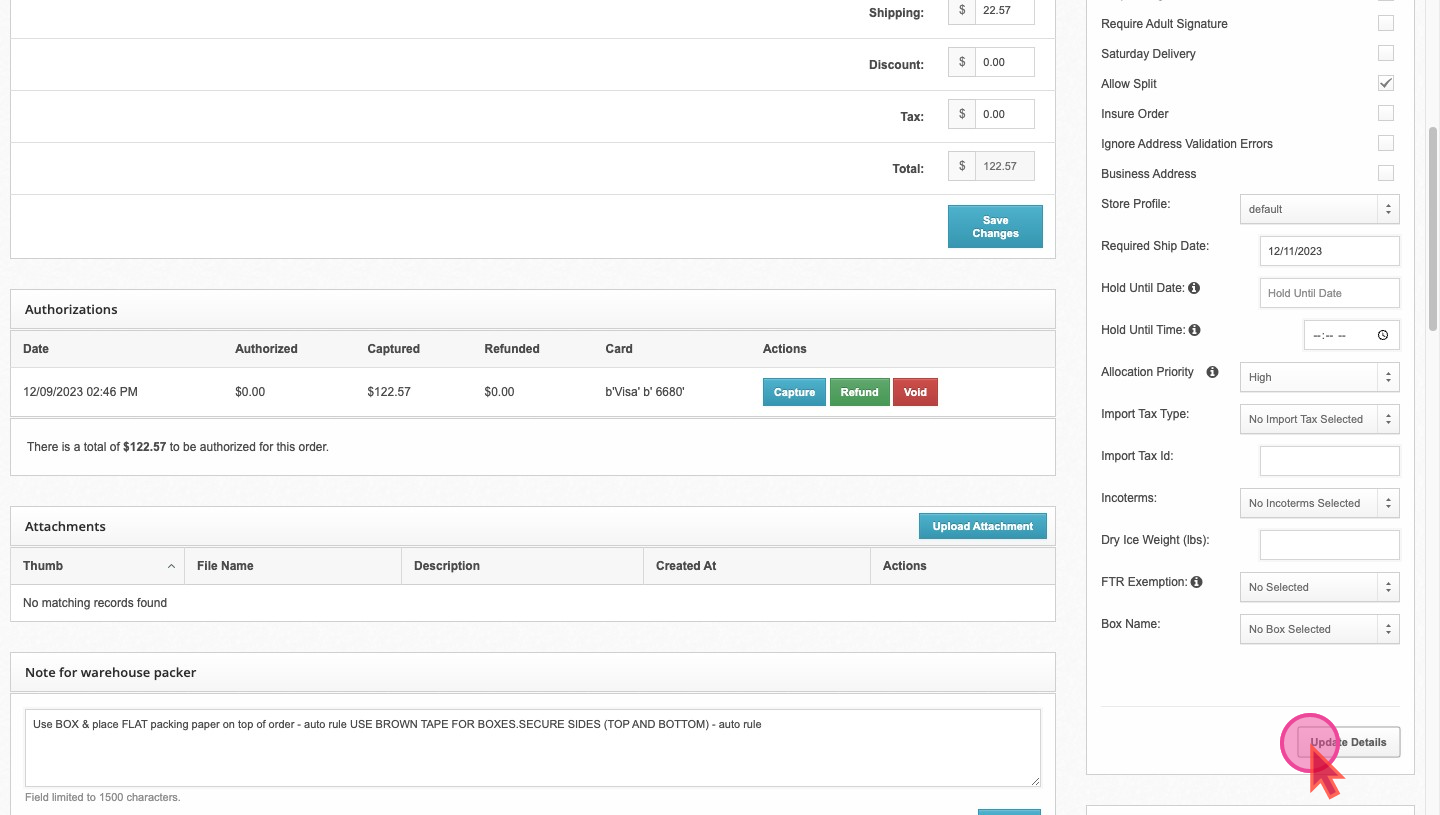
Did this answer your question?